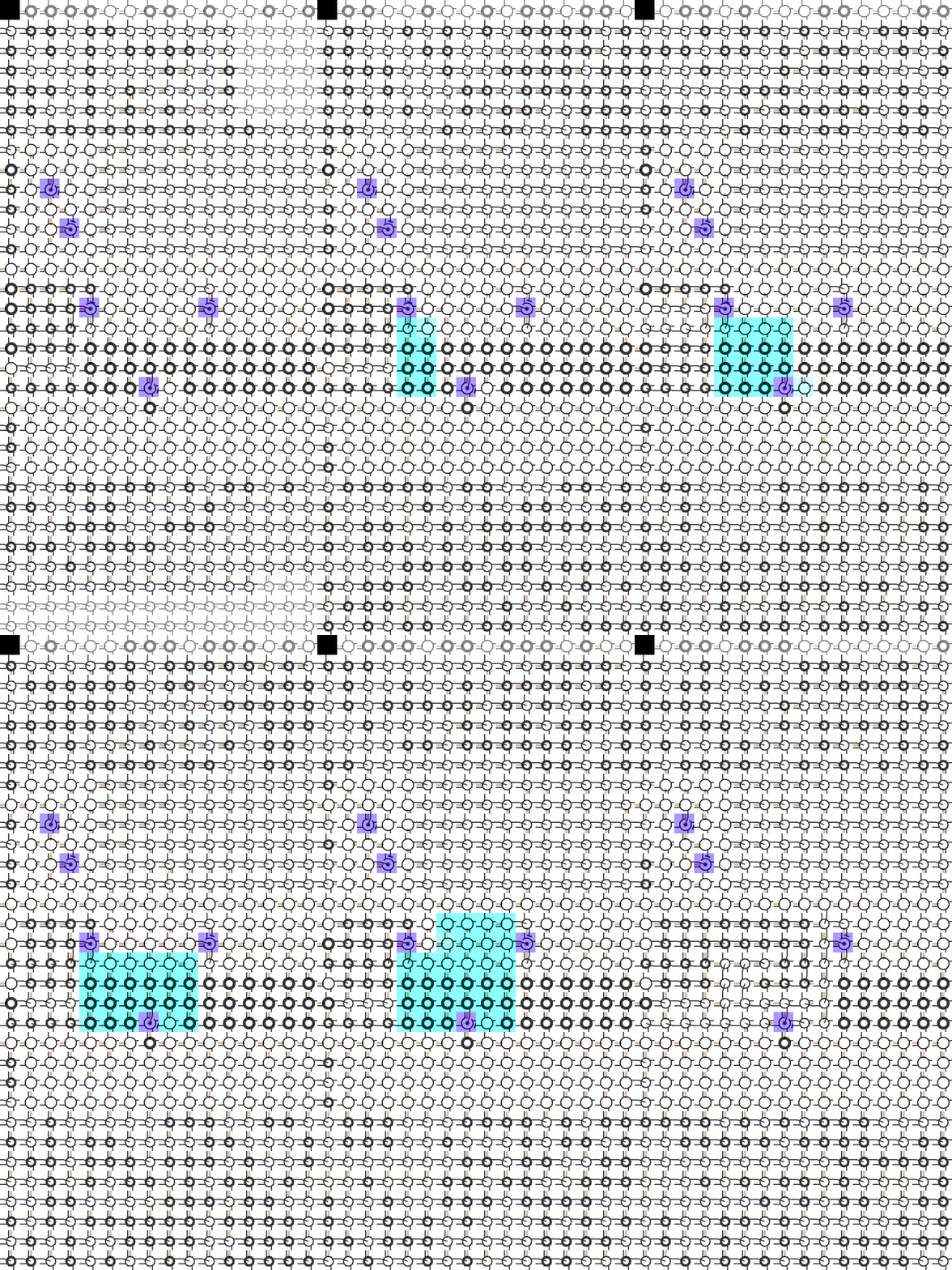
Codes 00–03
Ports, Crossings, And Constants
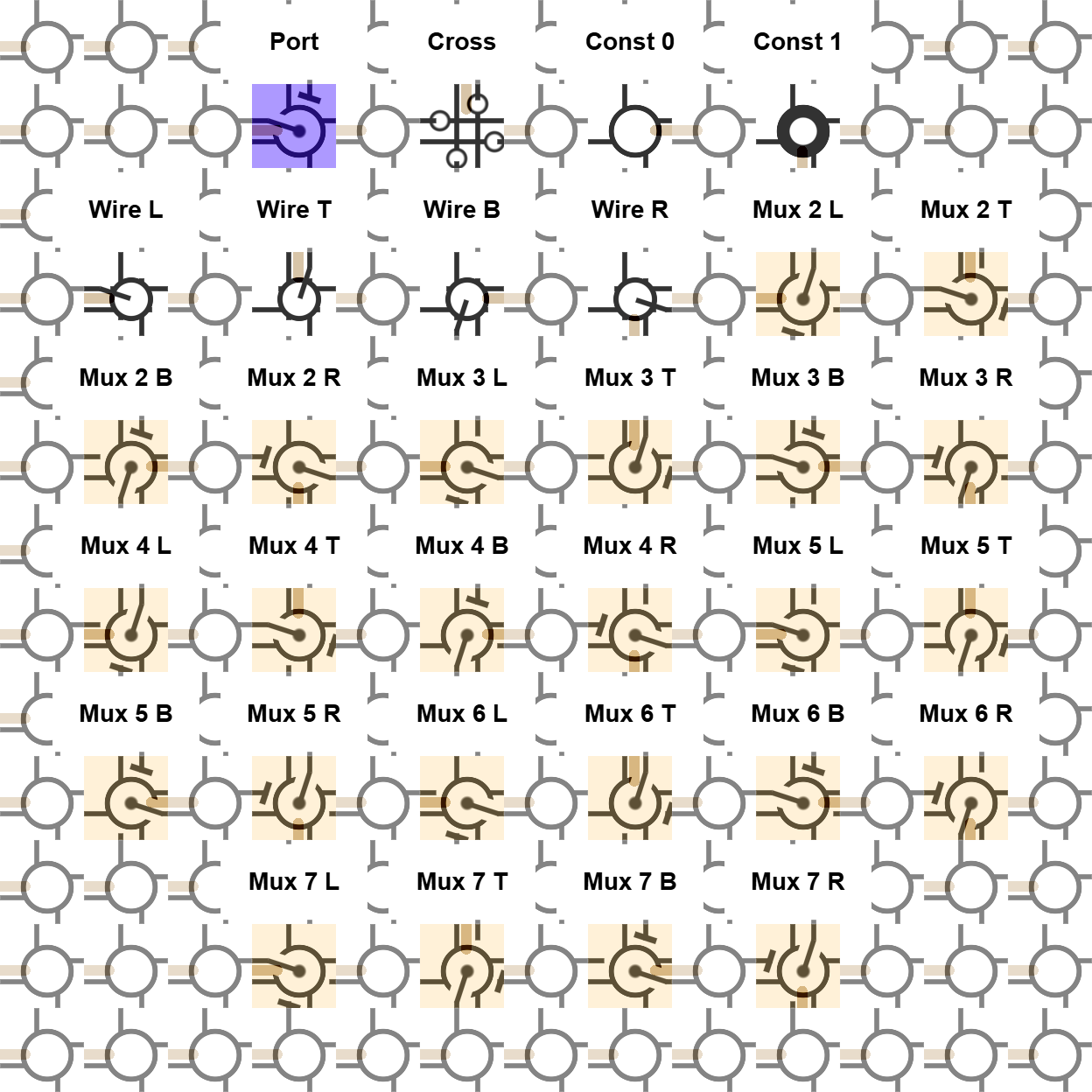
Codes 00–03 admit configuration, cross routes, and supply fixed zero or one locally.
Thirty-two installed roles turn a dense Cartilage render into a circuit you can read cell by cell and route by route.
Every visible mark comes from the body role stored in a cell, its orientation, and the local wires crossing its four sides. Two orientation bits and three mode bits generate four special roles, four wire directions, and 24 rotated MUX roles.
Use this decoder to follow configuration ingress, crossings, constants, signal direction, selector inputs, runtime values, and complete datapaths across the fabric.
Codes 00–03
Codes 00–03 admit configuration, cross routes, and supply fixed zero or one locally.
Codes 04–07
Codes 04–07 rotate one pass-through role toward the left, top, bottom, and right.
Codes 08–31
Codes 08–31 select six neighboring-side pairs and rotate each selector behavior through four orientations.
The renderer stores two fields: two-bit orientation and three-bit mode. The expression orientation + 4 * mode maps those fields directly onto codes 0 through 31.
Mode 0 assigns port, cross, constant zero, and constant one through its four orientations. Mode 1 assigns four wire directions. Modes 2 through 7 assign six MUX behaviors in four rotations each.
All 24 MUX roles execute the same local selector operation over different neighboring inputs. MUX Algebra derives that operation as conditional notation and a complete two-input truth-function table; Cartilage adds spatial rotation and routing.
The suffixes L, T, B, and R name local tile orientations within the render.
000102030405Wire L.060708B when high and R when low.09B/R selection behavior.101112R when high and B when low.13R/B selection behavior.141516T when high and R when low.17T/R selection behavior.181920R when high and T when low.21R/T selection behavior.222324T when high and B when low.25T/B selection behavior.262728B when high and T when low.29B/T selection behavior.3031Black marks show asserted local state or output values. White rings locate cells and ports. Tan overlays expose selector structure and visible value flow. Purple identifies the reconfiguration-port role. Text labels name the structures above the 32-code fabric.
With those layers separated, a reader can trace constants, wires, crossings, MUXes, and ports through a complete regional reconfiguration run.
The same body-role vocabulary spans child-owned port roots, generated arithmetic, and nested composition, so every new circuit builds on symbols the reader already knows.
Child-owned regions
Follow the purple local ports and the square parent-pointer regions that establish child ownership.
Generated arithmetic
Trace configured wires, MUX islands, constants, crossings, and edge outputs across 3,072 lockstep updates.
Nested composition
Watch a parent-owned stream replace the same roles inside a bounded daughter region.
Distinct silhouettes, colors, directions, and value marks let every role survive article scale, mobile layouts, and full-resolution inspection. Each large render links directly to its original asset.
Cartilage Core and its SystemVerilog RTL implement the same 32 installed roles across the browser renderer, continuous application plane, and local configuration edges. The physical MUX and wire tile alphabet carries this readable spatial vocabulary into connectorized PCB parts.
Try Cartilage: Run the open one-slot multiplier.
To edit, load, save, share, and follow the browser, Raspberry Pi, and FPGA streaming work, request the private demo username and password on LinkedIn.