One Click Opens The Circuit Itself
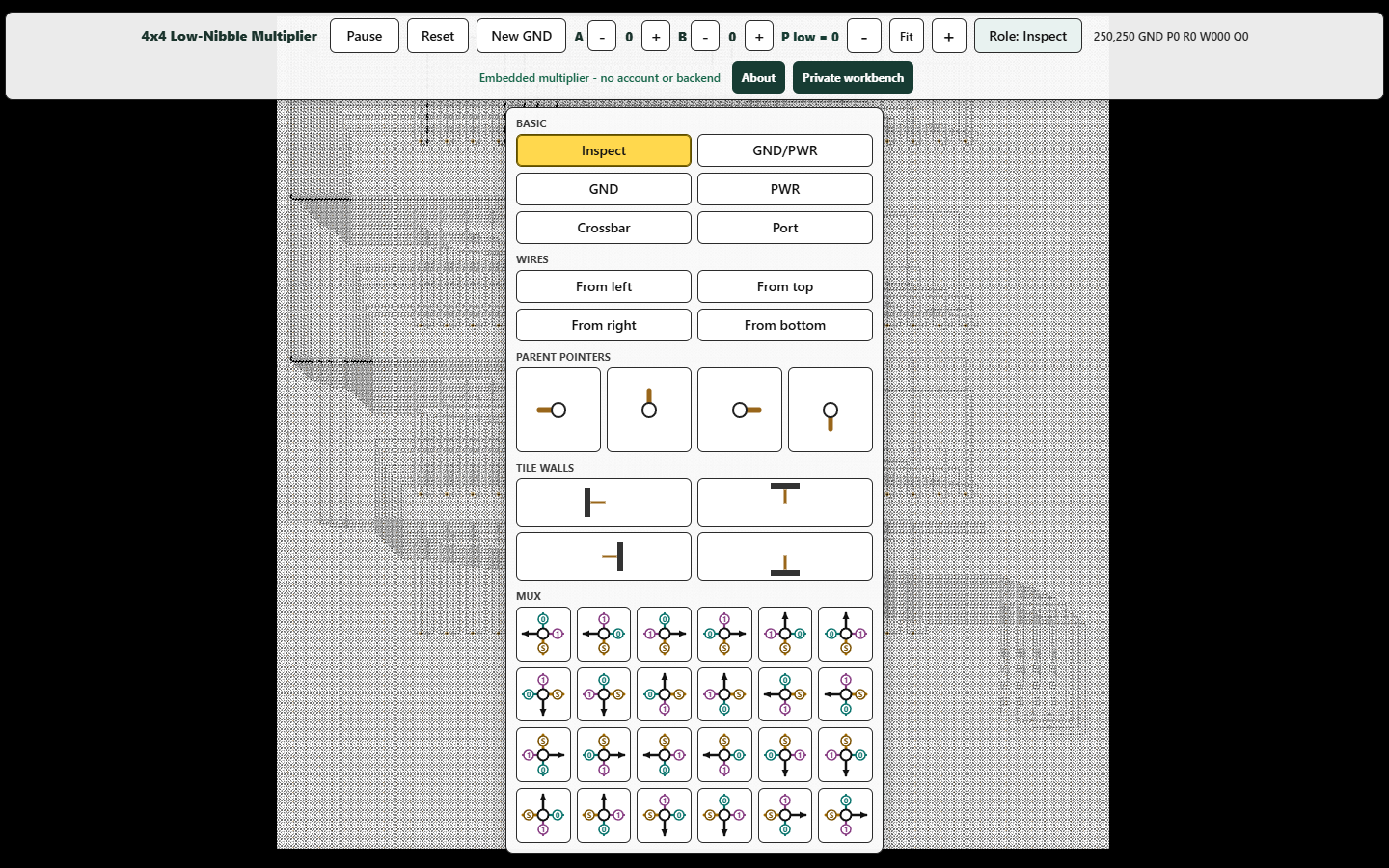
The page is not a screenshot or a remote video. It is the running frontend, substantially refactored from the July 31 Cartilage workbench at commit ee2bf38. The two WebGL state planes begin from one embedded native fabric image and continue through the same ping-pong computation engine used by that pinned research build.
The public version deliberately has no login form, slot selector, Load button, Save button, credential, private address, server endpoint, browser storage, or driver-source evaluator. Those removals do not restrict authorship: New GND, the complete role menu, cell inspection, and manual role placement all work without authentication. The demo’s only initial network request is the HTML document itself.
20,957 Visible Cells Realize The Low-Nibble Product
The circuit computes the low four product bits, (A × B) & 0xF, for two four-bit operands. It is an offline-compiled combinational decision network carried entirely by visible Cartilage roles at runtime—not a JavaScript multiplication painted onto the display.
256×256 cells using the pinned July 31 native-v2 4×4 package representation.20,957 placed cells: constants, directional wires, crossings, and MUX roles.52 multiplier MUX cells plus 34 MUX cells in the one-hot result display.561 to 1,222 local transitions; the deepest designated result probe reaches 1,405.256 input pairs pass both the generated Boolean netlist and the routed-cell evaluator.That distance is part of the point. Cartilage keeps placement and causal travel visible. A value does not teleport from an abstract operator to a result variable; it moves through the circuit that realizes it.
The Private Workstation Opens The Full Authoring Loop
The open multiplier already includes local circuit authoring. I also make the authenticated Cartilage workstation available as a private demo for people who want persistence and shared continuity beyond one browser session.
Private-demo users keep the same cell-role editing and add circuit loading, named saves and revisions, return access to saved work, and the ability for friends or colleagues with private access to load the same named save and enter a pin-relay room. The username and password are shared directly, never published into the open artifact.
Want access? Reach out to Brian Greenforest on LinkedIn and ask for the private Cartilage demo username and password.
One Pin Stream Can Connect Browser, Raspberry Pi, And FPGA
Cartilage treats the boundary as named digital signals rather than a special browser-only interface. The private research build now has a transition-numbered browser boundary stream and an authenticated WebSocket relay. That gives Raspberry Pi GPIO and FPGA adapters a concrete edge-facing contract instead of requiring a different programming model for every device.
The browser boundary and relay are implemented and source-tested. Raspberry Pi and FPGA adapters, end-to-end physical streaming, and the newest native-port model remain active research work; they are not claims made by the open multiplier. The remaining bugs in that work are being corrected now.
Open The Multiplier, Then Ask For The Workbench
Start with the public multiplier, or press New GND and build with the role menu. Change cells freely, inspect the result, and reload to recover the embedded multiplier. If you want to load, save, revisit, and share named circuits or follow the physical-streaming work, the private workstation is the next step.